
Smart Building Control System Automation
Today, building automation is a top demand and need for many people. This process brings cost savings and convenience. To achieve a smart building, various components must be considered, which we’ll explore below.
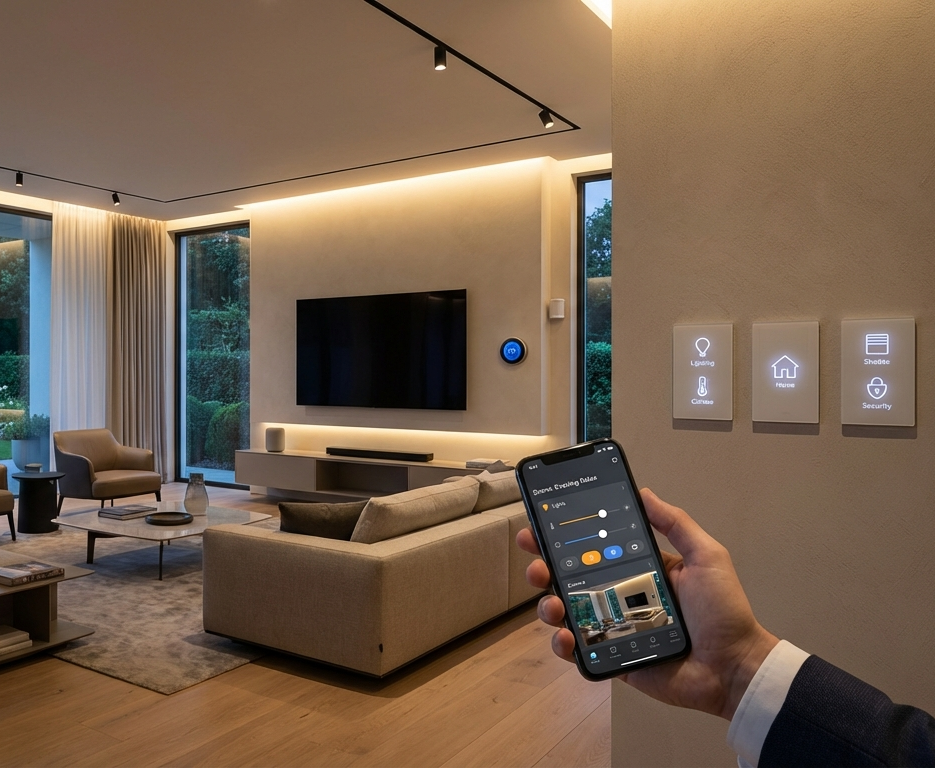
Lighting Control in Smart Buildings
Remote lighting control is increasingly popular and a key feature of smart homes. It not only reduces costs but also offers numerous other benefits.
Why leave parking, storage, hallway, or room lights on for long periods without knowing? With a glance at your phone, you can check their status and turn them on or off as needed.
How to Control Lights in a Smart Building via Smartphone?
In the Gamma system, you can manually turn lights on/off with simple buttons and check their status on the same screen (manual mode).
With daily or weekly scheduling in the system, lights operate at specific times based on your settings under precise control (timer mode).
After manually turning on a light, set a duration in the system, after which it automatically turns off (stable mode).
Using Security Sensors as Activators
This feature lets you adjust security sensors via the user system when on-site, using them as activators. For example, in buildings, these sensors can act as smart switches for lighting, triggered by human presence (motion sensor) or door opening (magnetic sensor). This capability varies by industry and application.
When sensors are triggered, the designated output executes a pre-programmed scenario you’ve set in the system.
Smartening Conventional Switches (Retaining Original Functionality)
This device enables wired lighting automation.
In wired setups, effective automation should allow daily/weekly scheduling, remote on/off via smartphone, and real-time status reports, while still enabling conventional switch use with feedback visible in the system.
Another advantage is that if the device is removed (e.g., during relocation), switches continue functioning normally, ensuring uninterrupted lighting.
Smart Control of Electrical Appliances
Controlling electrical appliances is another focus in smart homes. You can manage devices like cooling/heating systems, humidifiers, or modems from anywhere via your phone. Note that for appliances powered via outlets, the plug must first be connected, requiring your presence near the device.
Smart Cooling and Heating System Automation
Equipping buildings with smart systems allows various methods to control cooling and heating, including:
By setting upper and lower temperature limits for an area, the cooling/heating system is automatically managed. Equip desired areas with temperature sensors, set limits in the system, and the smart device ensures temperatures stay within range.
Schedule cooling/heating for specific times daily, defined in the system for set durations.
Manually turn cooling/heating on/off via the system, ideal for pre-heating/cooling a home or villa before arrival after a long absence.
Manually activate cooling/heating, then set a duration (e.g., 65 minutes) in the system, after which it automatically shuts off.
With a smart-equipped boiler room, hot water delivery adjusts to outdoor temperature changes, optimizing timing and temperature. This is especially useful for high-usage buildings with timed heating needs.
Remote Home Security System Control
Safety-security systems have two inseparable components:
Safety and Security Device:
This refers to the smart automation device, offering more benefits than standalone safety-security devices.
Sensors:
These detect objects, people, phenomena, and physical parameters in the environment.
Essential parameters from sensors are sent to the device, which logs them, manages alerts, and activates elements like sirens or designated appliances.
A mix of sensors should be chosen to protect the site from threats using various types together. The most common security sensors are motion detectors (detecting nearby movement), door/window sensors (detecting openings), and linear beam sensors (useful in some cases).
Theft Detection Sensors:
PIR – Motion Detection Sensors with Radiation Sensitivity:
Chillers, heaters, and greenhouse units can also auto-activate based on temperature and humidity feedback to maintain acceptable ranges.
PIR + MW – Motion Detection Sensors Using Infrared and Microwave:
These sensors are sensitive to sudden temperature changes or air movement, ideal for spaces with ventilation and doors/windows.
Contactron – Door/Window Sensors Monitoring Openings:
These have two parts held by a magnetic field. When a door/window opens, the parts separate, breaking the field, and detectors signal the control panel to activate the alarm.
Contactor – Garage Door Opening Monitoring:
Similar to Contactron, these use two magnetic parts. Opening the door separates them, breaking the field, triggering an alert via the control panel.
Window Break Sensor:
This sensor reacts to sounds of breaking glass. While door/window sensors detect openings, they don’t detect breaks, making this sensor useful against break-in attempts.
Environmental Sensors (Incident Detection and Alerts):
If your alarm system aims beyond theft to include hazards like fire, additional sensors are needed, especially in basements, storage areas, bathrooms, kitchens, etc. Fire protection sensors are the most critical.
Smoke Sensor:
Detects smoke in a room during early fire stages. Smoke and heat sensors throughout a home or workplace are vital for safety.
Gas Sensor:
Quickly detects gas levels exceeding a threshold, notifying the central alarm system.
Gas Leak Sensor:
Especially useful in places like storage areas with low occupancy but potential gas leak risks, preventing incidents effectively.
Electric Curtains
Electric curtains are gaining attention, no longer just for large, luxurious homes but a necessity for comfort in any home. For instance, morning light can aid waking up, easily managed with smart curtains.
To automate curtain opening/closing, a specific electric curtain motor is needed. With a smart system, you can set various control modes, like opening at sunrise and closing at sunset for privacy, or closing automatically when the homeowner is away and activates the security system.